Fleet Tracking Portal

The Portal provides you with a simple and easy-to-use user interface, intuitive features, and streamlined processes.
Documentation

  • About the Portal

    The Portal interface is quick, simple, and highly configurable. With just a few clicks, you can run any report or view the map for a single vehicle, a group of vehicles, or your entire fleet. Schedule reports, set up alerts, or administer your vehicle, driver, and user groups easily from our efficient web-based interface. Enterprise…
  • Logging In to the Portal

    Welcome to Fleet Tracking! An account has been created for you and it’s time to log in to your Fleet Tracking Portal to check out your new software tool. Welcome Email After an account has been created for you, you will receive an email from Support with the subject line “Welcome! Let’s get started.” This…
  • About the Camera Media Page

    The Camera Media page in the Fleet Tracking Portal is designed to provide a centralized and focused repository of camera video clips from Driveri, Drive360, and AIR II cameras. Camera event clips are plotted on the map and you can access metadata about the vehicle’s behavior reported during the media clip’s timeframe. Note: You must have…

Videos

About the Explore Page

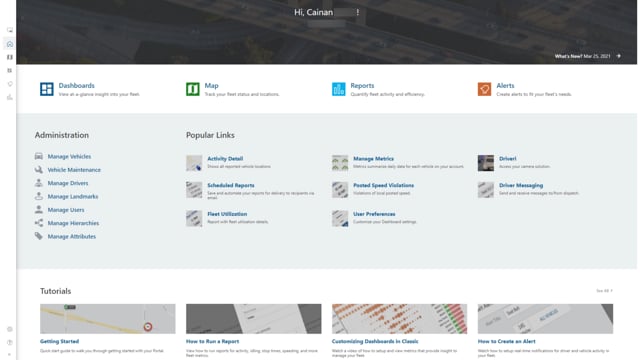
In this video, we’ll explore the resources the Explore page has to offer. Since the making of this video the Homepage has been renamed to the Explore page.

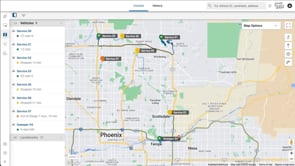
About the Map

In this video, you’ll learn about the Map page of the Portal and see some of its popular features.

Reports Overview

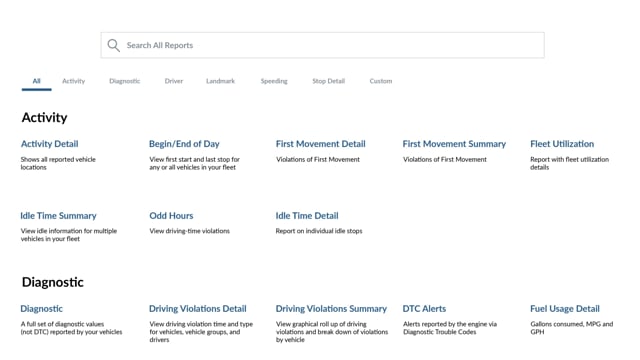
In this video, Cainan introduces you to the Reports page and the features it offers.

Deep Dives

How does my device report speed?

I noticed three different speed values on my report (Max, Avg, and Inst). How are each of those calculated, and why doesn't the system use the vehicle speed from my engine's computer if diagnostics are supported?
  Advanced Admin

The Advanced Admin provides you with end-to-end visibility of location, reporting, and more for your fleet.


Documentation

Videos

Dashboard Overview

In this video, we’ll explore the new portal layout and the features you can access during this preview.

Best Practices

Using Features to Create Solutions

Features don’t create value, solutions do! Each feature in the portal is tied to a solution, and making that connection is the difference between an average deployment and a great one.

Deep Dives